
Smart Share · Available now
Share smarter. Know what gets attention.
Share proposals, pitch decks, and important documents in a few steps. See who opens them, which pages capture attention, and where to focus your next conversation.
Still sharing important documents as email attachments?
Most business-critical documents are still shared through email attachments or ordinary file links. Once sent, it can be difficult to know whether the recipient opened the document, returned to it, or spent time reviewing a particular section. Smart Share gives you a simpler way to share documents while making engagement visible.
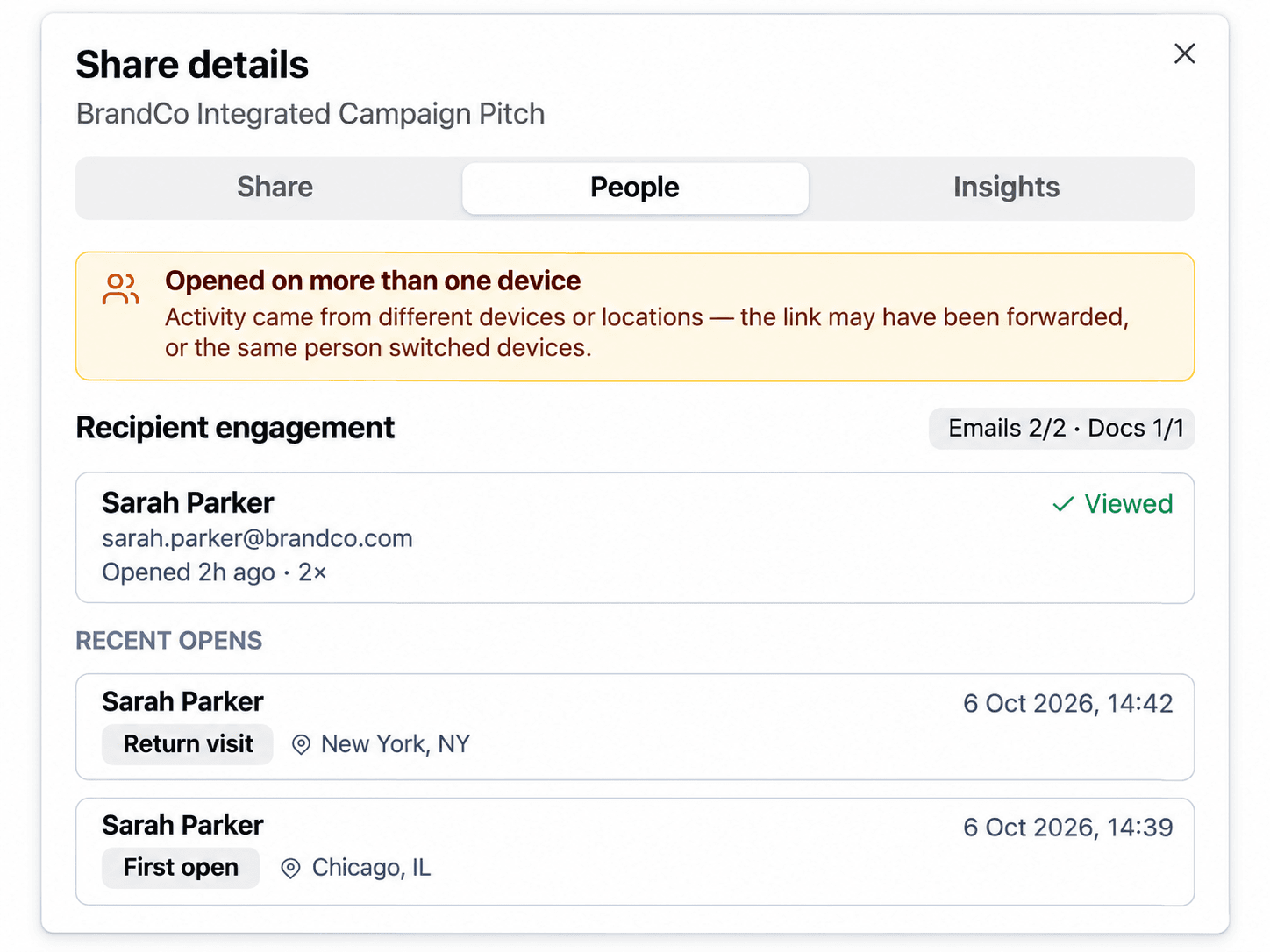
- Know who engaged. See document opens, return visits, and recipient activity.
- Understand what interested them. Discover which pages received the most attention.
- Keep sharing controlled. Share with named recipients and optionally require email verification.
- Grow beyond a document. Turn the share into a Smart Room when ongoing collaboration becomes necessary.
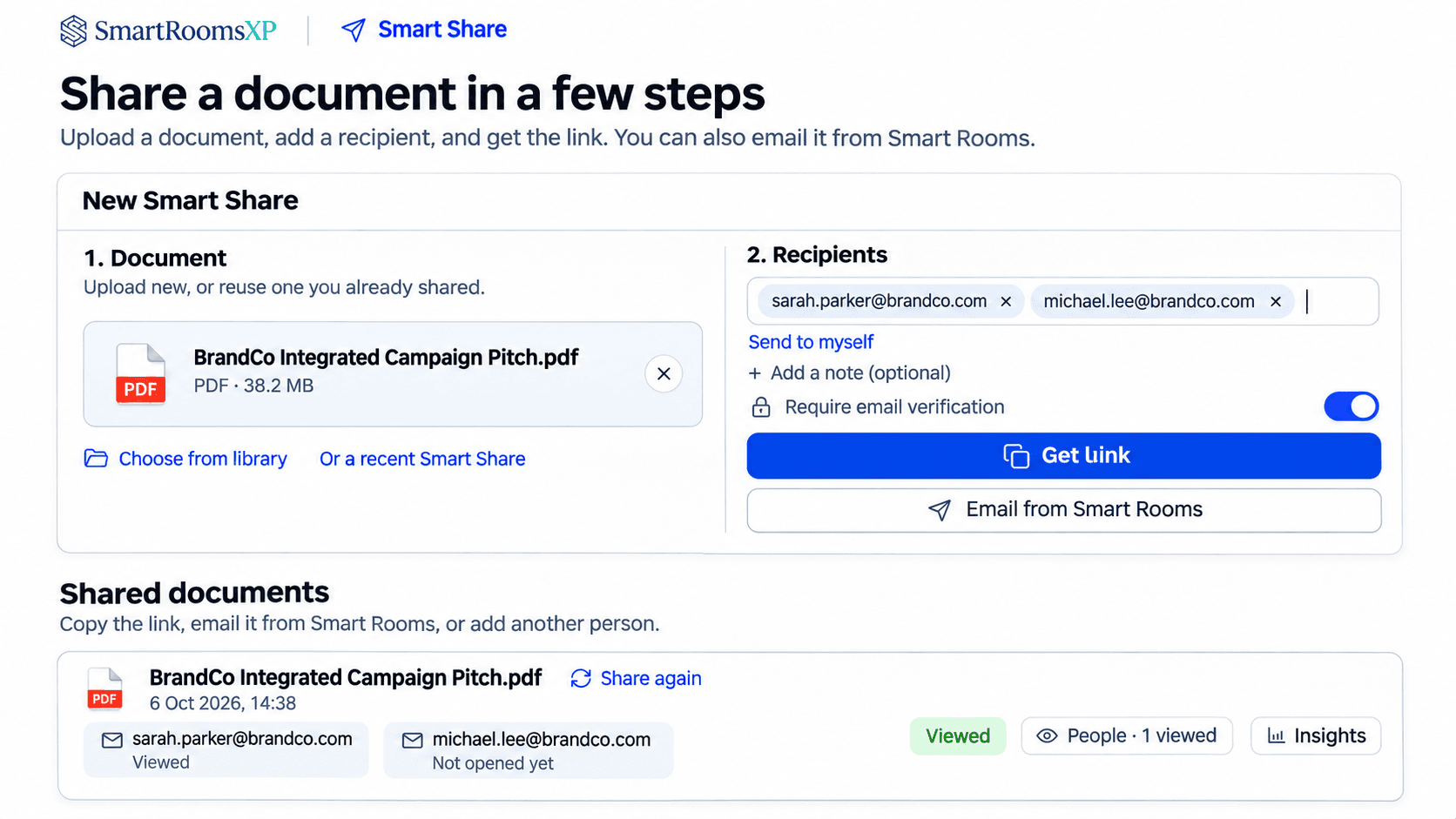
How Smart Share works
Step 1
Step 2
Step 3
Know what matters inside every document.
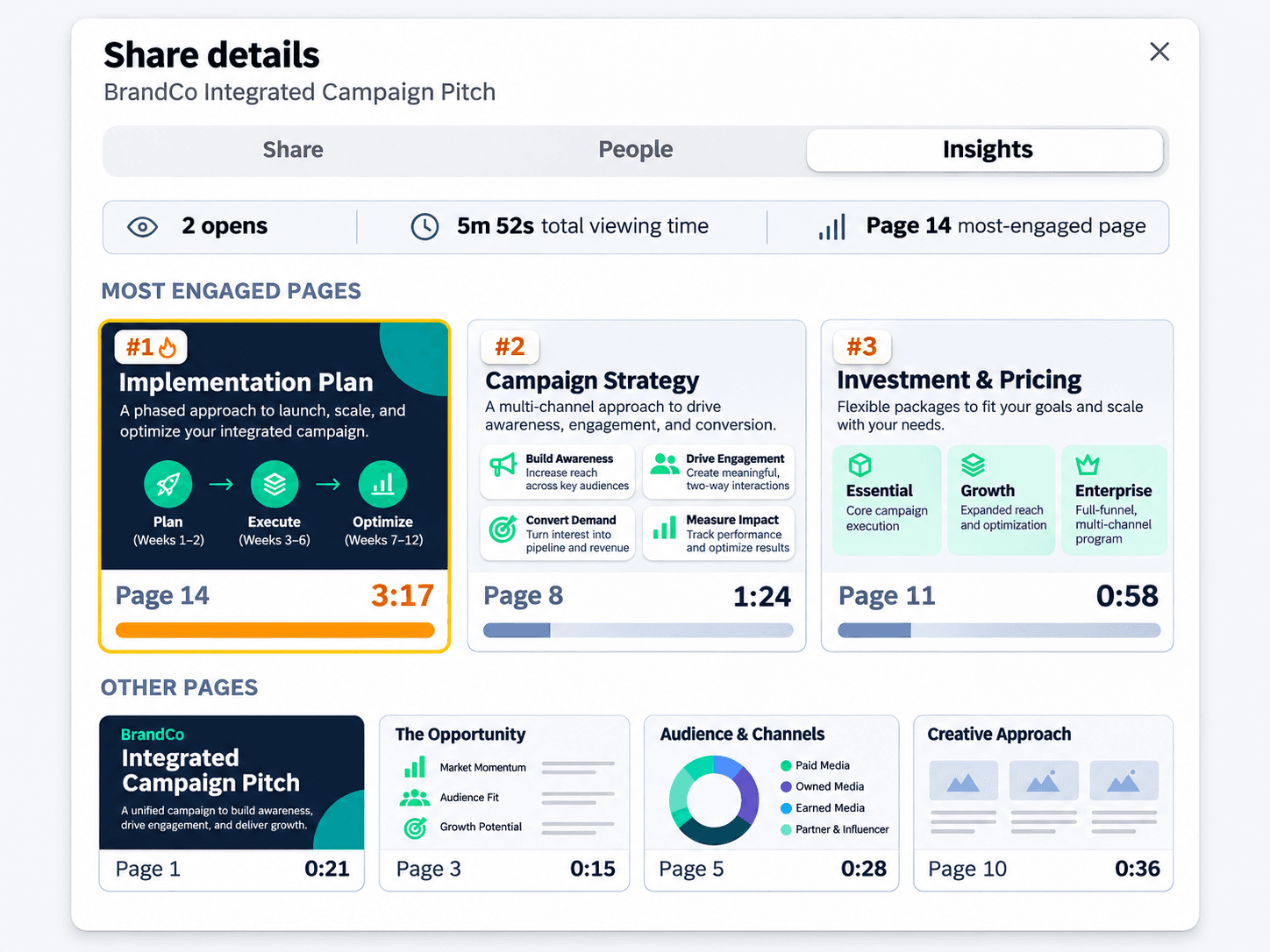
A document view tells you someone is interested. Page-level insights help you understand what captured their attention. See how much time viewers spend on individual pages and discover which sections receive the most attention.
- Time spent per page. Understand how viewers distribute their attention across a PDF.
- Most-engaged pages. Identify the pages that attract the most viewing time.
- Engagement visibility. Use these signals to guide a more relevant follow-up.
Page-by-page attention applies to PDFs. Viewing time is an approximate measure of engagement.
Turn engagement signals into better conversations.
Understanding what prospects spend time reviewing helps your team prepare more relevant follow-ups. Use document engagement to identify possible areas of interest.
Engagement signalA prospect spends more time reviewing the implementation plan than other sections.
Possible interestThey may be evaluating timelines, resources, or execution feasibility.
Suggested follow-upShare a more detailed implementation timeline or rollout plan.
Engagement signalA prospect spends significant time reviewing the commercial proposal.
Possible interestThey may be evaluating costs, scope, or budget alignment.
Suggested follow-upOffer a detailed scope discussion or commercial clarification.
Engagement signalA prospect spends additional time reviewing the strategy or proposed approach.
Possible interestThey may be comparing options or evaluating strategic alignment.
Suggested follow-upShare relevant case studies, rationale, or supporting research.
Engagement signals help guide conversations. They do not establish a prospect's intentions or decision-making conclusions.
Everything you need to share with confidence.
Ready to see what happens after you hit send?
Start sharing proposals, pitch decks, and important documents with greater visibility into how prospects engage.
Smart Share is part of SmartRoomsXP, the AI-powered Customer Engagement Platform.